
DYS Module · Financial Management
Cost Management System
Make it visible where and how costs arise, and base cost decisions on reliable data.Assess expenses by unit, department, service and period, and monitor resource use through comparative analysis.
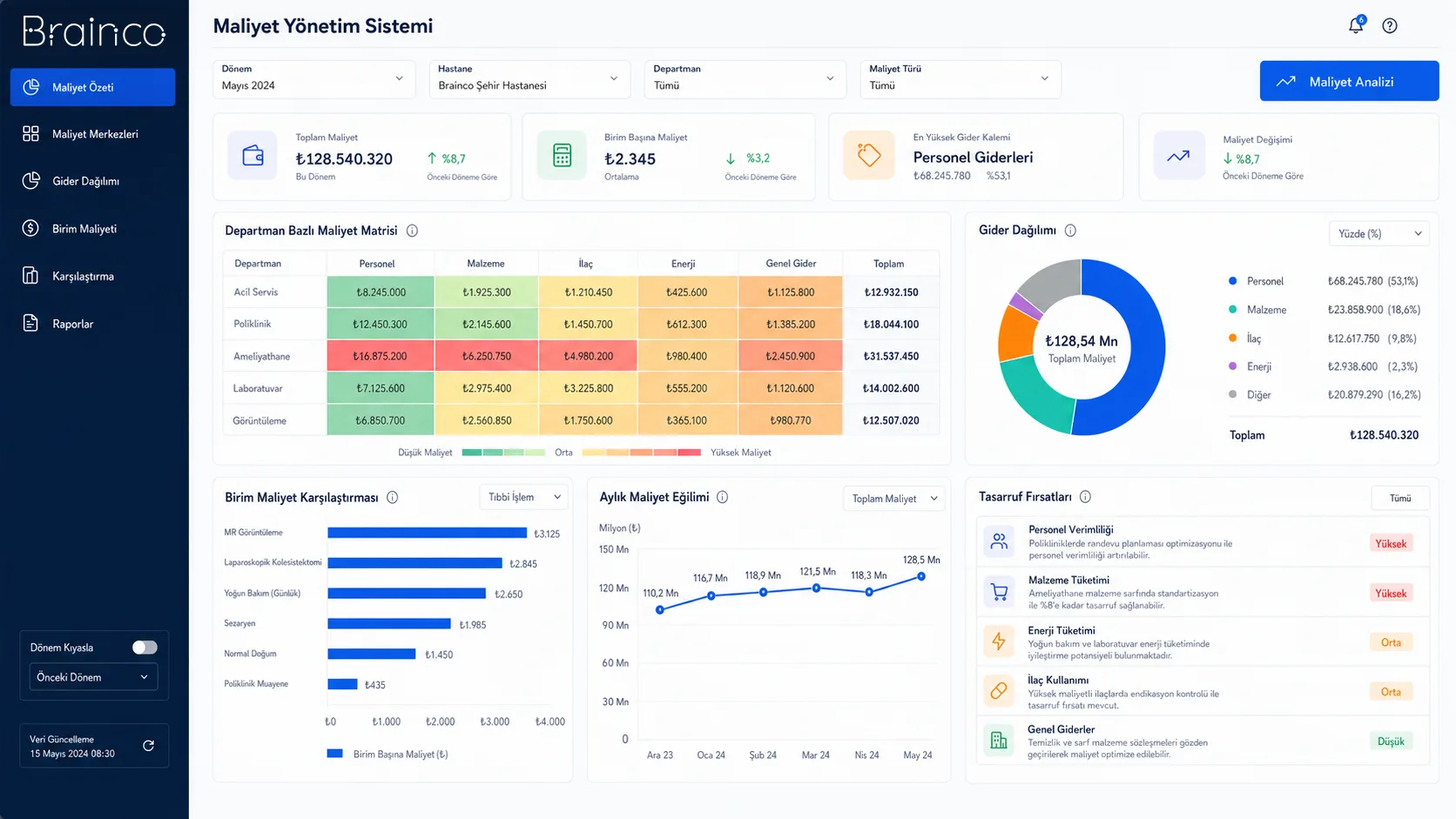
Cost transparency
The unit and resource components behind total expenses become visible.
Comparable structure
Periods and organisational units are assessed against shared criteria.
Decision support
Cost changes are brought onto the planning and improvement agenda.
Need and solution
From a real business need to a manageable process.
Total financial results alone do not explain which service, unit or use of resources the expenses come from.
The system processes cost data from different sources with shared allocation rules and gives managers a comparative view that moves from detail to the big picture.
Core capabilities
What does Cost Management System offer?
The main areas of work the product covers in day-to-day use.
Expense allocation
Assign expenses to the relevant cost centres using defined allocation rules.
Unit and department breakdowns
Examine costs in detail according to the organisational structure.
Periodic analysis
Compare monthly and periodic changes with the same calculation approach.
Resource use
Make visible the cost impact of staff, materials and services.
Comparative analysis
Assess unit, period and service results through shared indicators.
Allocation trails
Trace which data and rules a cost result is built from.
How does it work?
A traceable workflow, step by step.
- 01
Import data
Expense and organisational data are imported from defined sources.
- 02
Check
Missing and inconsistent records are flagged for review.
- 03
Allocate
Approved rules are applied to the cost components.
- 04
Analyse
Results are compared across unit, service and period breakdowns.
- 05
Report
Management indicators and details are presented to the relevant users.
Benefits and measurable indicators
Track improvement with your organisation’s own data.
Instead of ready-made success rates, make visible the indicators that let you monitor process performance regularly.
- 01Unit cost
- 02Expense distribution
- 03Periodic cost change
- 04Cost of resource use
- 05Unallocated expense amount
Integration approach
Controlled connection to your existing systems.
The scope of integration is configured around the organisation’s data sources, permissions and technical needs.
Security and governance
Authorised access and traceable actions.
- Permission-based cost views
- Rule and calculation history
- Data source traceability
- Organisation-specific cost model
Position in the DYS ecosystem
DYS Module
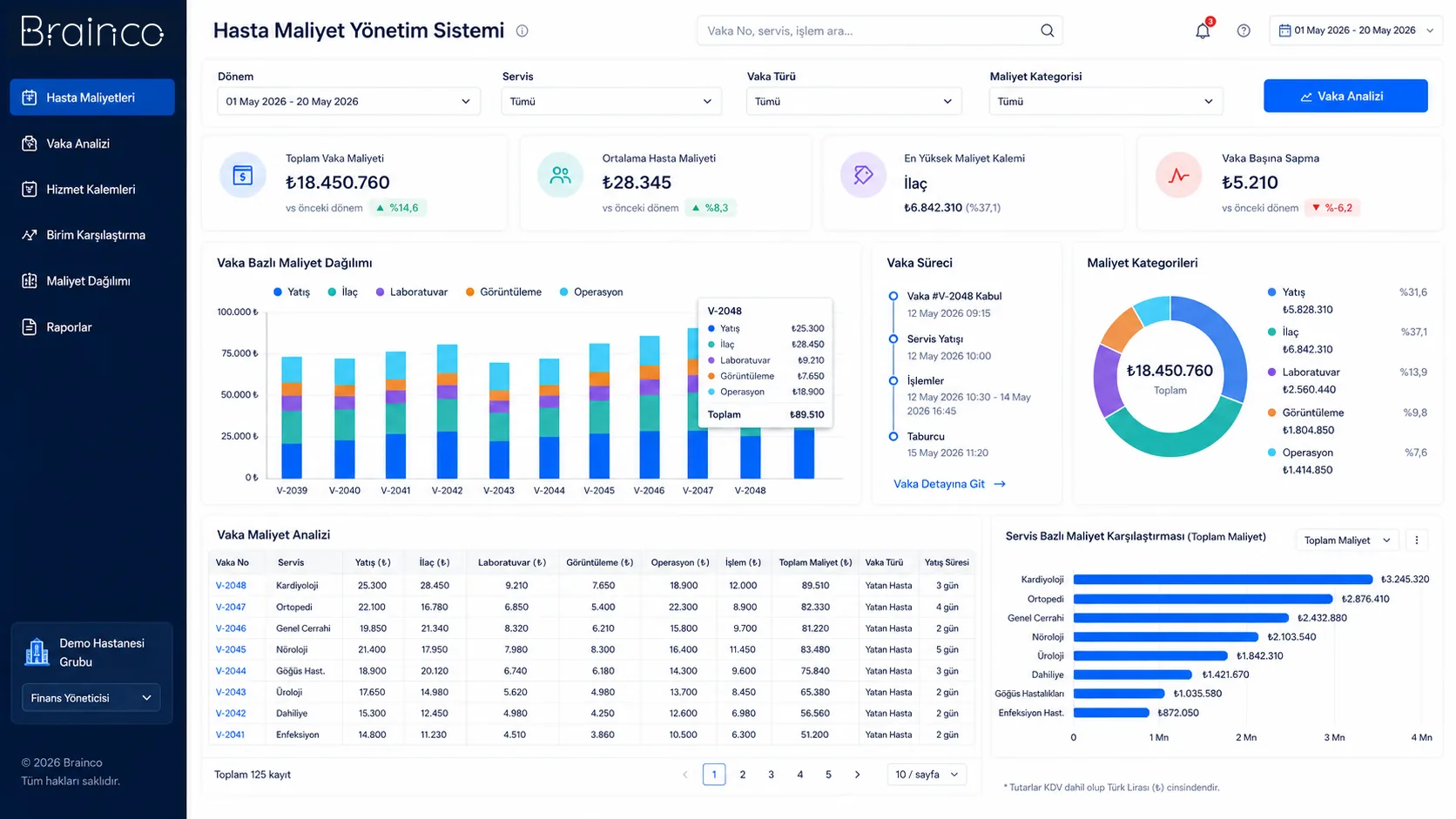
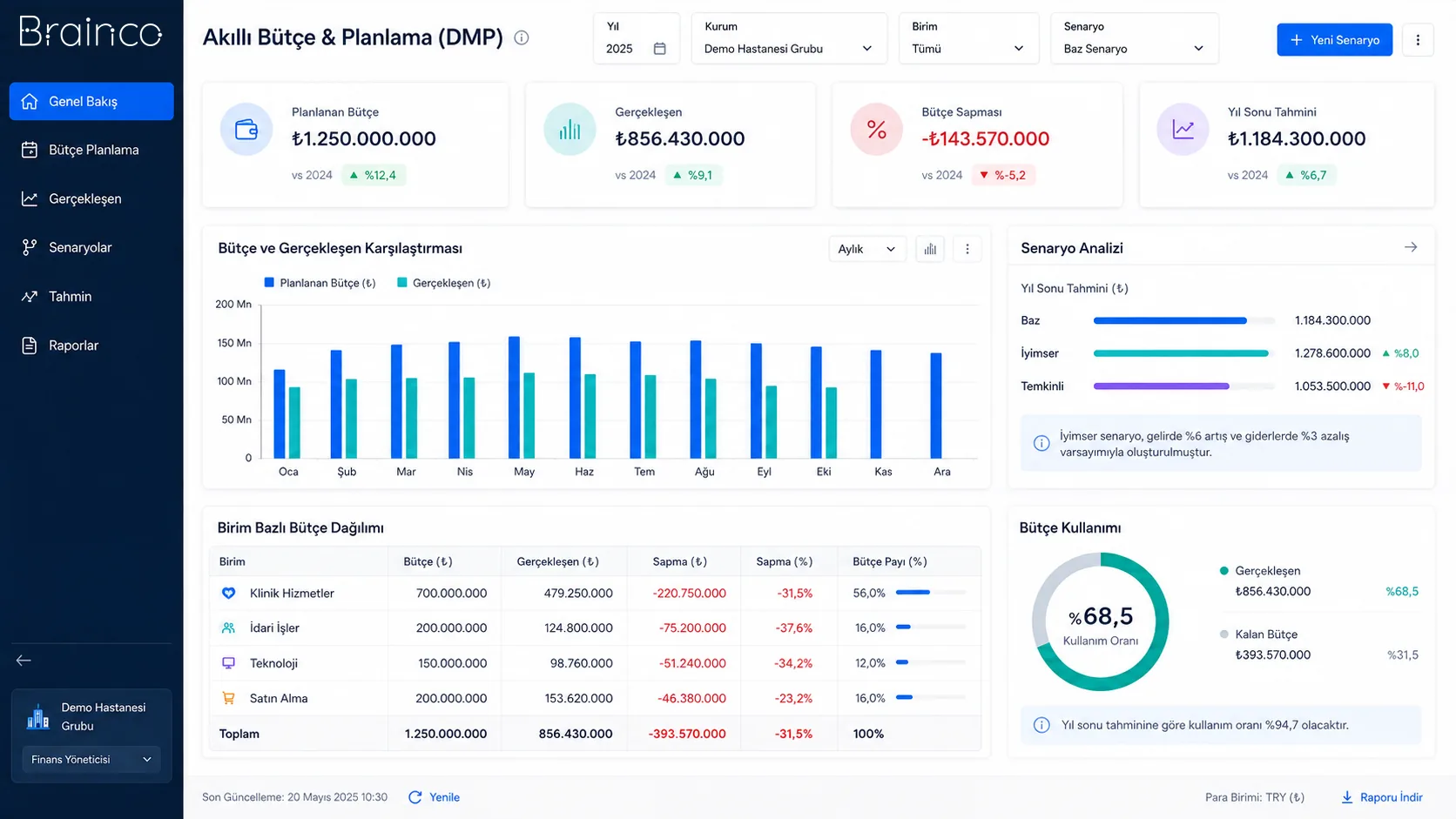
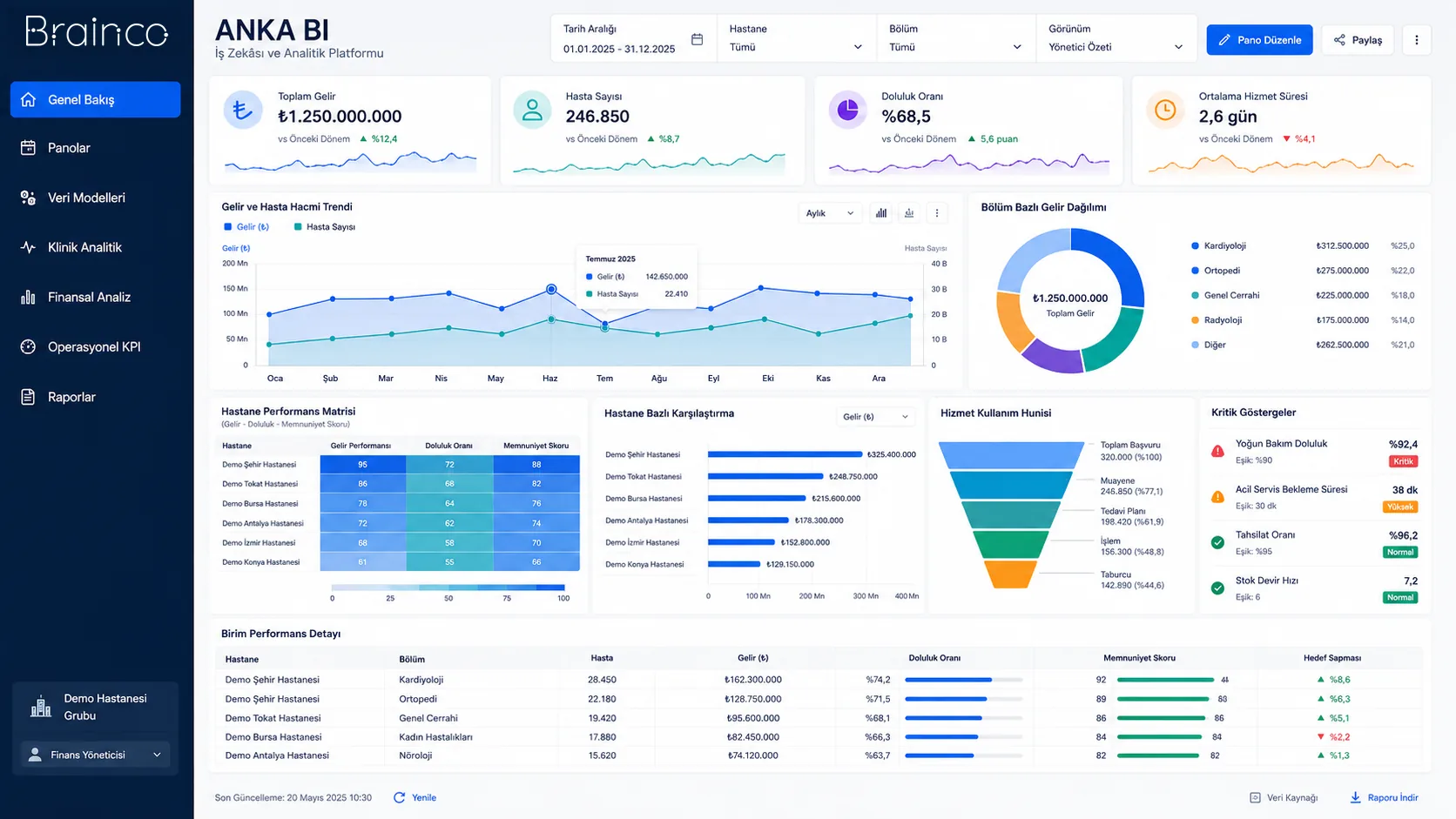
Let’s evaluate the product together
Make your cost structure visible, from the detail to the big picture.
Let’s look at your organisation’s processes, data sources and user needs together.